Rescuing Homelab from System Drive Failure
This article contains poorly-taken pictures of the screen, because I couldn't really do proper screenshots inside LiveCD.
I upgraded an old computer at my home and turned it into homelab 2 years ago. It ran perfectly since then, until recently...
The Beginning
One day I was doing something with the server through ssh as usual, and then suddenly the commandline stopped responding for about a minute. And then every command started failing with I/O Error:

Soon afterwards the ssh connection stopped responding too, and I had to go check out the server. I plugged in the monitor but there was no display output and the keyboard can't respond to NumLock nor CapsLock, though the server is definitely still running. I had to hard reset the machine. After the reset the BIOS couldn't detect the system drive anymore. Suspecting a bad connection, I moved the drive to another SATA port, and restarted the machine. This time the machine detects the drive and started normally. However, it didn't last long and started to spam I/O Error again.
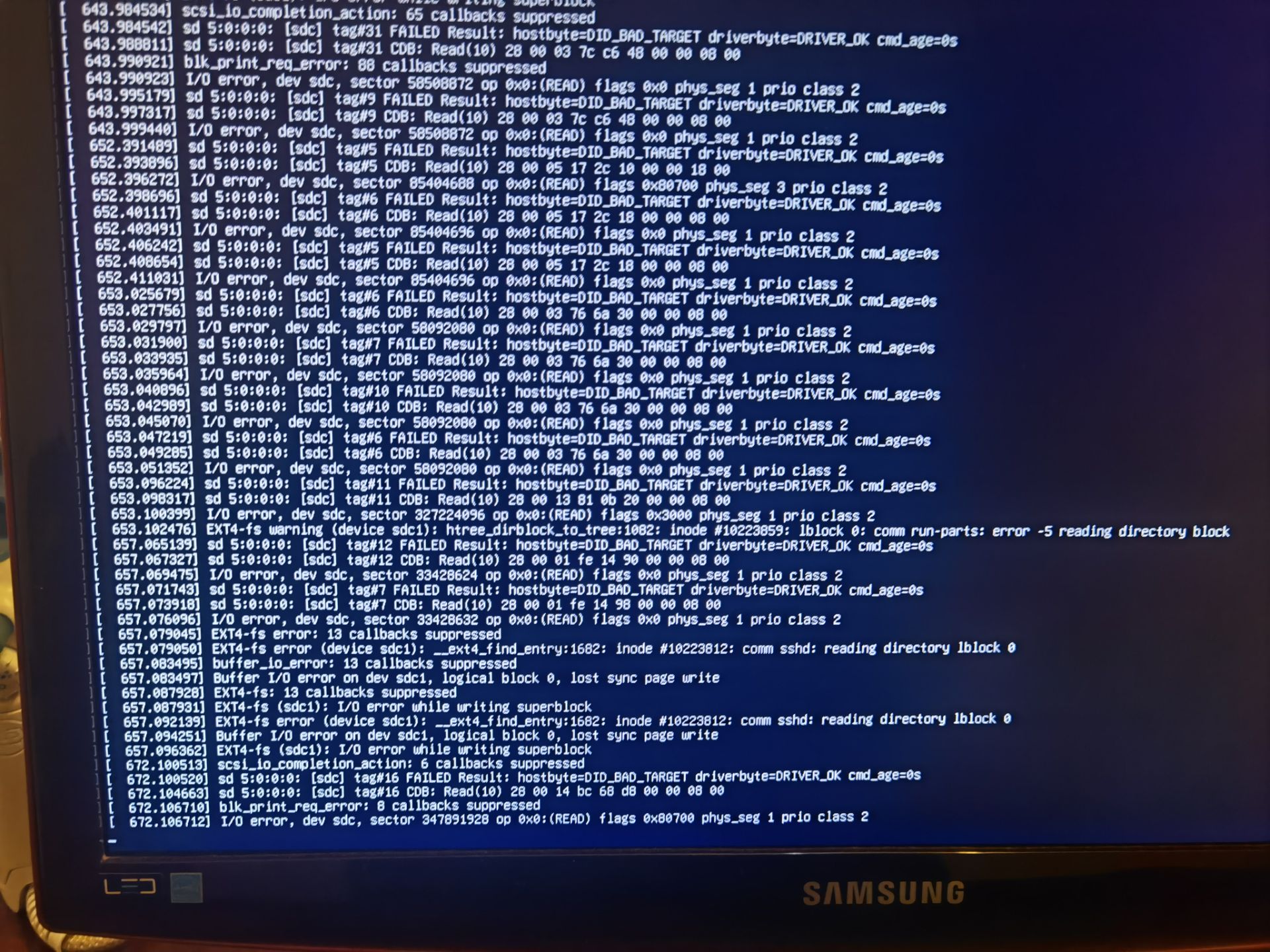
Now this is bad. The SSD must be failing. Unfortunately I didn't back up the system drive at all because it didn't hold much valuable data. But it can still be annoying to re-install the OS and re-configure all the services.
After another hard reset the BIOS can't detect the drive again, and I have to keep the machine powered off for some time to have it detect the drive again. And then I tried to use a Live CD and dd the data out of it, but it stops after ~4GiB:
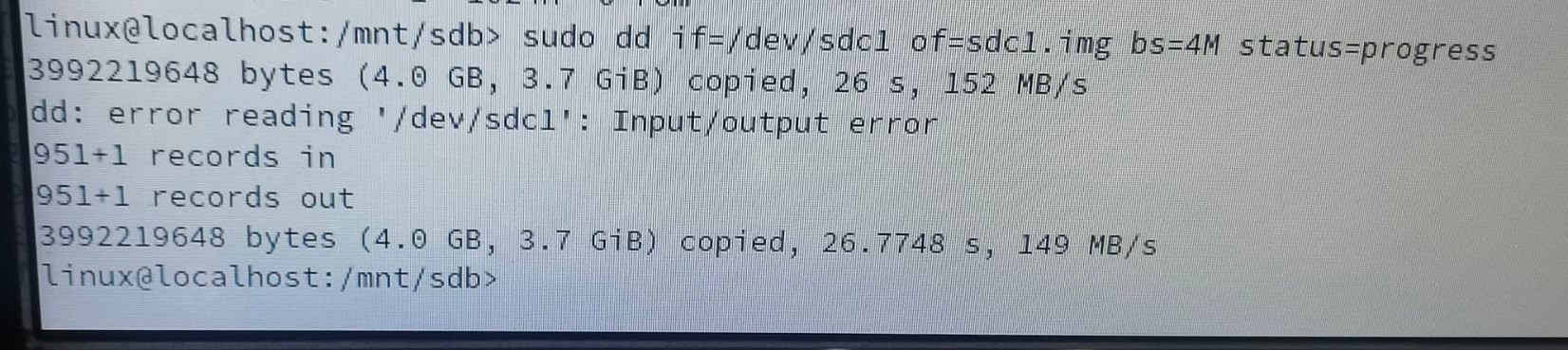
I restarted the machine and tried to skip the bad block and dd again, but it failed again at ~8GiB. Seems that there're multiple 'bad blocks'.
At least the partition table and the extfs superblock is still intact. It was 11 pm at this point, so I went to sleep (and didn't sleep well).
Recovering the Data
The second day I did some searching and found a tool called ddrescue, which can try to read out as much data as possible from failing drives automatically. I booted from Live CD and ran it. ddrescue will wait for the kernel to reset the SATA link after encountering I/O Errors and skip forward to continue reading. Pass 1 took about 1.5h and 239.897GB of 240GB was successfully read. Seems that the drive is not having serious trouble.
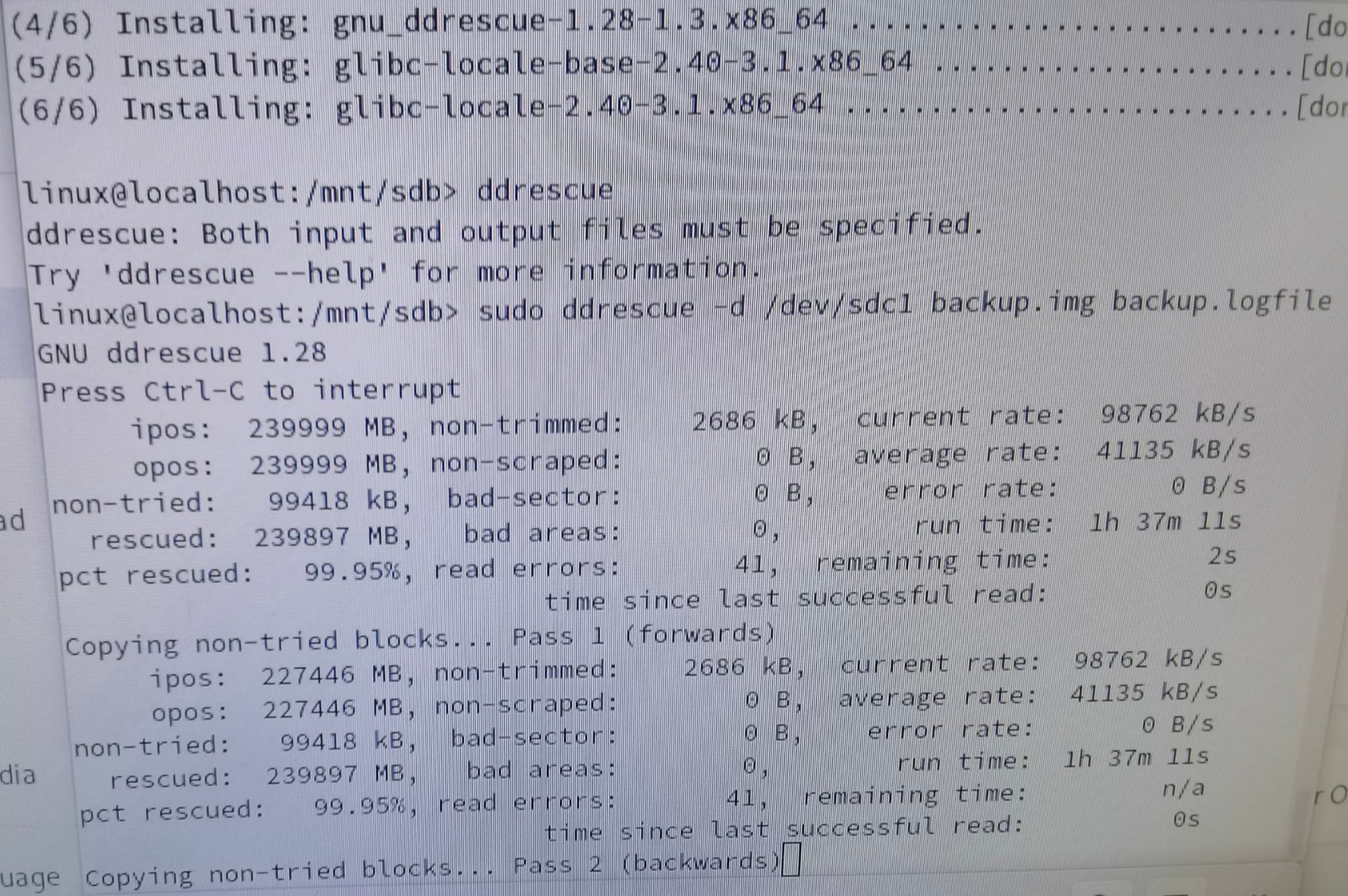
After a few hours, there is only 5MB left unread. I mounted the disk image and ran fsck. It didn't find any errors. So the filesystem is probably consistent, and the only thing corrupted is the contents of some files. ddrescue also outputs a map file reporting the success/failure of every segment, and I should be able to tell which files are corrupted with this information.
Then I found this question on superuser. I learnt that I can use debugfs to find all the corrupted files, and I wrote a script to find them.
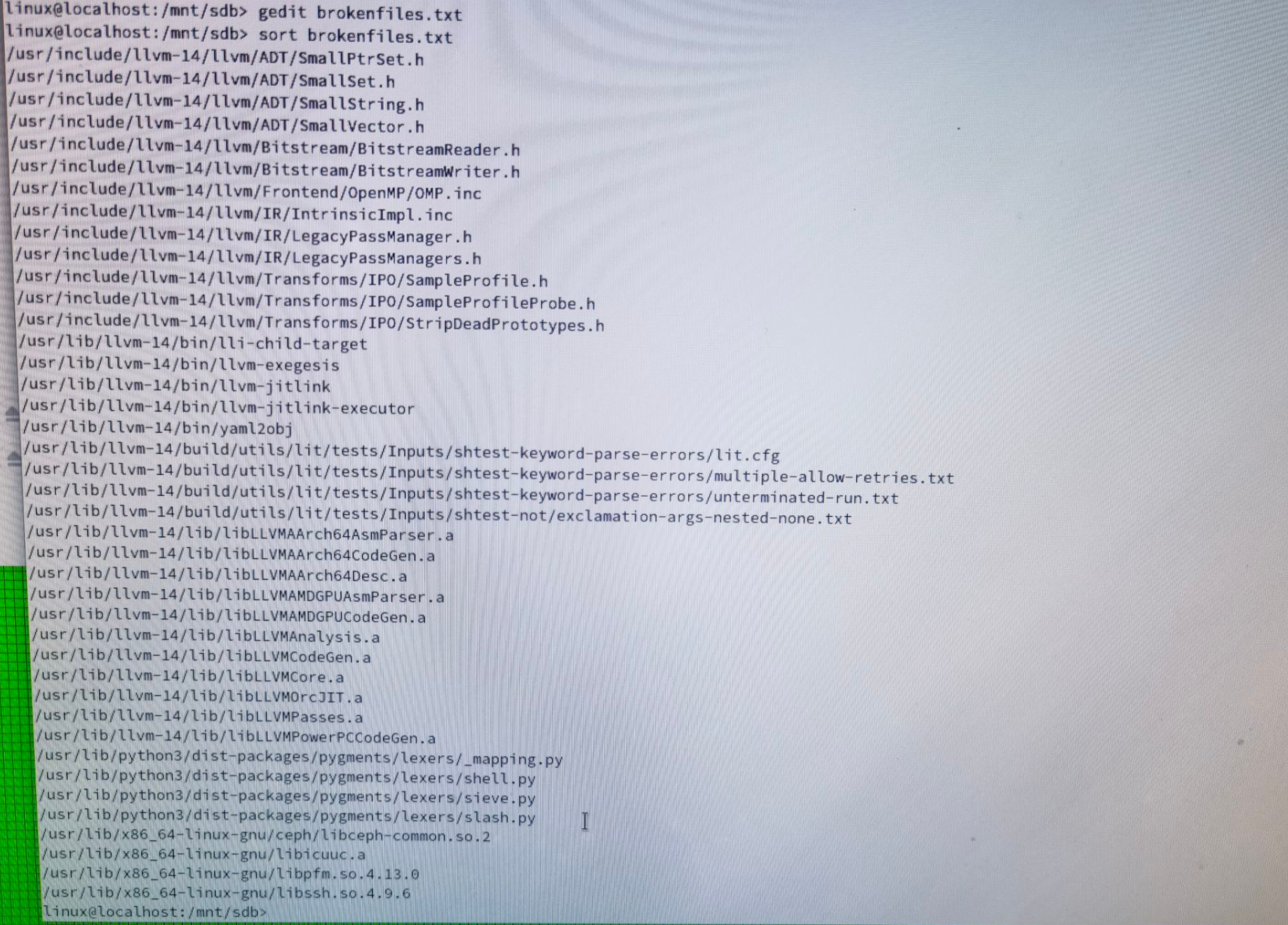
Fortunately the few broken files are not very important. I can just re-install the relevant packages and it will be fixed.
Back Online!
Now's the easy part. I happen to have a near-empty HDD that I can add a partition and dd the image into it. Then I reinstalled grub and fixed the broken packages. The system runs a bit slower on HDD, but I don't really run any IO-heavy load so I just make do with it.
Afterword
Making backups is imporant. Any data that will cause trouble when lost should be backed up. Next time it probably won't be this lucky. Also this ZHITAI SC001 Active SSD fails after just one year, and the S.M.A.R.T. stats only shows 15TB written. Looks like I can't really trust Yangtze Memory anymore(?)